


Basic
Free
Everything you need to enjoy the photos on your phone.
- Your phone's photos and videos
- Pinch grid from six columns to one
- Fullscreen viewer with favorites
- Slideshows with Fade and Cross Dissolve
PixlView is a photo and video viewer for Android that opens your phone, your USB drive, Google Drive and Dropbox in one grid. Pick a folder, press play, and it runs as a slideshow with transitions you mix yourself.
PixlView is free to start, and it never shows ads or tracks what you look at.
For Android 8 and up, on phones and tablets. Google Play listing opens soon
Your whole library sits in a grid you resize with two fingers. Folders stay at the top in alphabetical order, and the photos follow whichever sort you picked.
Switch on several effects at once and PixlView blends them, so a slow Ken Burns zoom can dissolve into a pan across the next photo. Tap an effect and the slideshow changes while it plays.

PixlView reads the phone's own storage, a USB drive or SD card, Google Drive and Dropbox, and shows them all in the same grid. A photo in the cloud opens, plays in a slideshow and shares to any app exactly like one saved on the phone.
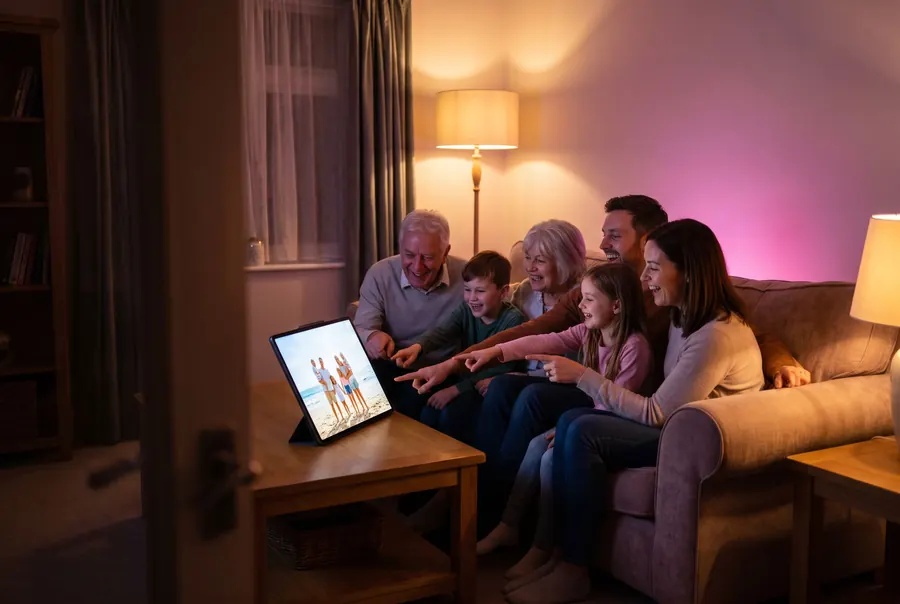
Prop up a tablet, pick the folder from the holiday and press play. Photos and videos run together and the screen stays awake, so nobody has to swipe through your camera roll looking for the good ones.
We read the Google Play listing and the developer's own help pages for each app below. Where those pages don't say either way, the table says so instead of guessing.
| Feature | PixlView | Piktures | Fotoo | Fossify Gallery |
|---|---|---|---|---|
| Browse the folders already in your Google Drive | Yes | No | Yes | No |
| Browse your Dropbox | Yes | Yes | Yes | No |
| Open a USB drive | Yes | Yes | Not stated | Not stated |
| Play a folder as a slideshow | Yes | Yes | Yes | Yes |
| Choose between transition effects | Yes | No | Yes | Yes |
| Run several transitions at the same time | Yes | No | Not stated | Not stated |
| Set how long each photo stays up | Yes | Yes | Not stated | Yes |
| Play videos inside the slideshow | Yes | Not stated | Not stated | Yes |
| Lock the app with a PIN | Yes | Yes | Not stated | Yes |
| Free version without ads | Yes | No | Yes | Yes |
Checked on 21 November 2026. Some features in each app, including PixlView, belong to a paid version. Every product name belongs to its owner.
There's no account to create and nothing is uploaded to us. Your settings and favorites stay on the phone. Google Drive and Dropbox sign you in directly, so we never see a password or a single picture, and the app carries no ads and no trackers.
Draft split between Basic and Pro for Andre to confirm
Free
Everything you need to enjoy the photos on your phone.
$24.95 once, and Pro is yours to keep
Every source and every effect, for the people who run the slideshow.
PixlView is a photo and video viewer for Android. It shows the pictures on your phone, on a USB drive, in Google Drive and in Dropbox in one resizable grid, and it plays any folder as a slideshow. It isn't a cloud storage service, so your files stay exactly where they are.
Yes. The Basic version is free and has no ads. Pro adds the cloud sources, USB drives and the full set of slideshow effects. You can pay for Pro by the month, by the year, or once for a lifetime unlock.
PixlView runs on Android 8.0 and newer, on phones and tablets. It draws edge to edge on current Android versions, so a photo fills the whole screen.
No. PixlView reads your photos where they already live and never sends them to us. When you open something from Google Drive or Dropbox, the file comes straight from that service to your phone.
Yes. Turn on Auto Full Screen in the slideshow settings and you can select several effects together. Cross Dissolve with Ken Burns is a good place to start, and every effect follows the transition time you set.
Yes. When the slideshow reaches a video it plays to the end and then moves on to the next photo. Videos kept in Google Drive or Dropbox download to the phone first and then play the same way.
Yes. Choose External Storage, pick the drive or folder once, and PixlView remembers it. You can then browse the drive folder by folder like any other source.
Not yet. PixlView is built for Android, and that's where our attention is for now.
PixlView is free on Android, and Pro is there when you want it.
Get PixlView freeGoogle Play listing opens soon